

Cloud machine from a seed
Render cloud-init user data that sets up a fresh cloud machine on its first boot.
A cloud seed is cloud-init user data for a fresh Ubuntu 26.04 amd64 instance, at Hetzner or any provider that takes cloud-init. On first boot it creates the operator's access and then downloads, checks and applies the release archive.
Rookery does not create or pay for cloud machines. Create the instance at your provider and paste the seed in as its user data.
The seed gives the operator the key of Rookery itself. You can also add that key at your provider as an SSH key. A new machine then takes it from the start, before the seed has run. Copy it from the Settings tab of the home screen.
Render the seed
Set the profile
Create the host. On Install, choose Cloud-init seed, which switches a laptop Target to cloud. With Tailscale on, Rookery puts a one-use key it makes into the seed, and the host joins the tailnet on first boot. That needs the secret tailnet_api_key (joining the tailnet). The key lasts 24 hours. When Rookery writes the seed, it says until when the key works.
Choose the release source
The machine downloads the generic release archive on first boot. Under Release on the Settings tab:
- Publish release to switches between the file servers and raw repositories from the Registries tab. Rookery uploads the archive there when it makes the seed. See Publishing the release archive.
- Or upload it yourself and enter its HTTPS address in Release HTTPS URL (
release_url).
Limit SSH
On Settings, enter your network in Recovery SSH CIDR under Access, such as 198.51.100.7/32. It is rookery_bootstrap_ssh_cidr under ansible_vars.
Make it
On Run, check that no problem is listed and press Enter on Run · Cloud-init seed, or:
rookery host seed cloud-1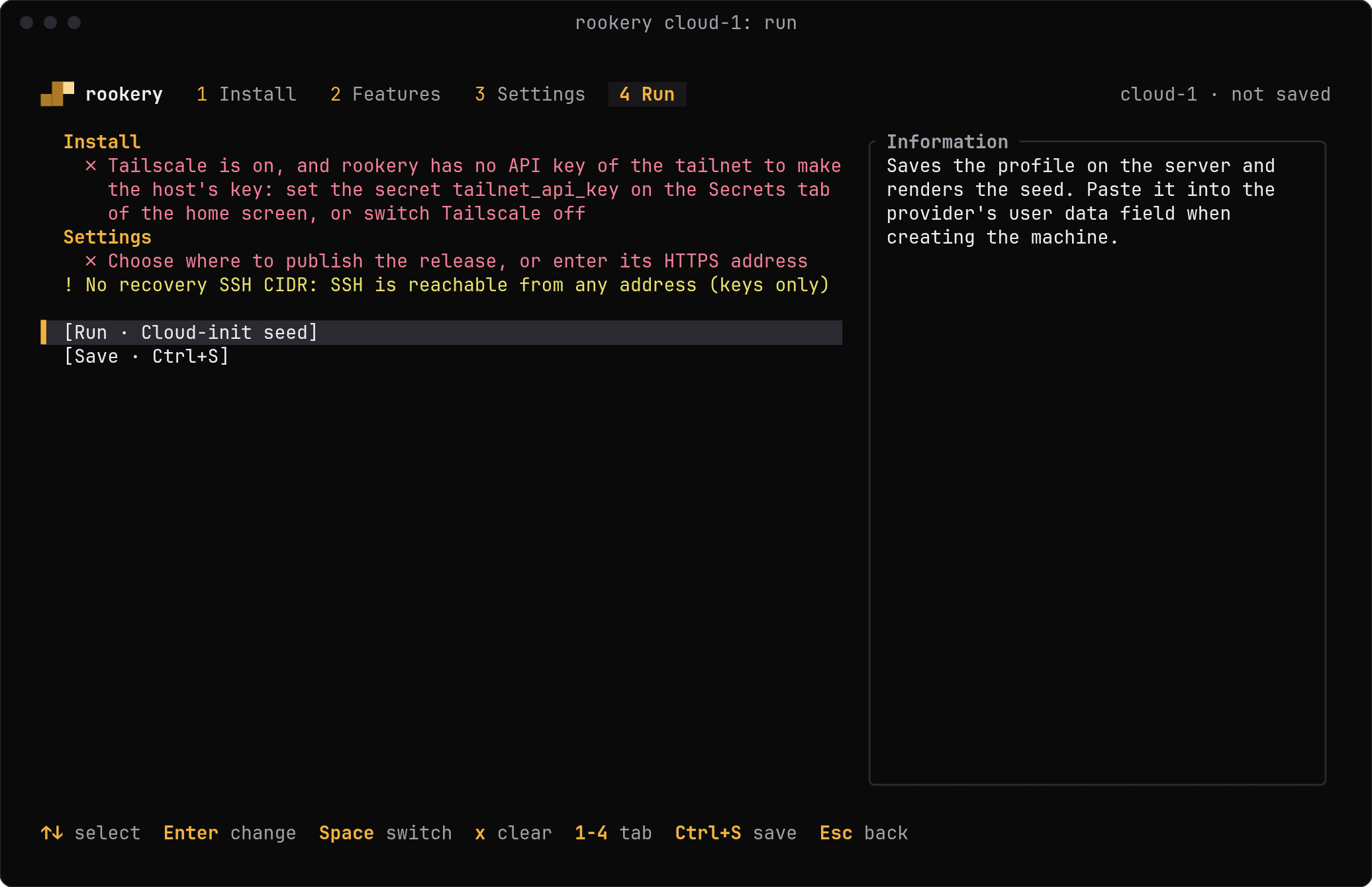
No recovery CIDR means SSH from anywhere
Without a recovery SSH CIDR, a cloud host accepts SSH from any address. Keep SSH hardening on in that case, so only keys work, and use a provider firewall scoped to your admin IP. Do not open VNC, T3 or Cockpit to the internet.
What you get
| File | Use |
|---|---|
~/.local/share/rookery/build/HOST/cloud/user-data | Paste as user data when creating the server |
~/.local/share/rookery/build/rookery-release.tar.gz | Upload unchanged to the release address, unless Rookery publishes it |
The user data is JSON-form YAML with the #cloud-config header. It holds the expected SHA-256 of the archive. Every seed build repackages the release, so the digest in the seed matches the current source. It is limited to 32 KiB, the size of Hetzner's user data field.
The cloud bootstrap does not partition or format disks and keeps the provider's default account and networking. Follow progress on the machine as for the USB installer.
Without Rookery
From a source checkout:
python3 provision/bin/rookery.py render --kind cloud --config provision/config/local.jsonThe files are written to build/ in the checkout.
Last updated on