

Plugins
Coding agents, provisioners, software and actions for hosts, installed as plugins and switched on per host.
A plugin adds things to a host. Each thing is a feature: packages, set-up steps, a guide for the agents working there, and actions on the host's overview. A plugin can have several features, each switched on by itself. Coding agents come as plugins too, installed like any other. A plugin can also bring a provisioner that creates machines.
Plugins that come with Rookery
| Plugin | Features | Adds |
|---|---|---|
github | github/cli | gh, its sign-in, and git set up to use its login |
unity | unity/cli, unity/editor | The Unity CLI and an editor, with sign-in, license activation and status |
backup | backup/restic | Nightly restic snapshots (Backups) |
docker | docker/engine | A Docker engine on a node, and provisioners for containers and Compose projects (Provisioners) |
incus | incus/server | An Incus server on a node, and provisioners for VMs and containers (Nodes) |
A host gets the features listed in rookery_plugin_features. Unless that is set, it lists github/cli.
Switching features on
Features are off until chosen. On a host's Features tab they are listed in their groups next to the built-in entries. Space on a group's heading switches everything in it. The choice is stored in the profile:
{ "ansible_vars": { "rookery_plugin_features": ["unity/cli", "unity/editor"] } }and reaches a running host with Apply this configuration.
Installing a plugin
| Location | For |
|---|---|
plugins/ID/ in the provisioning source | Plugins that come with Rookery |
~/.config/rookery/plugins/ | Your own |
The Plugins tab of the home screen (6) lists both with their features. Enter on + Add plugin installs one from a package name, a .tgz or a folder, and x twice removes one of yours.
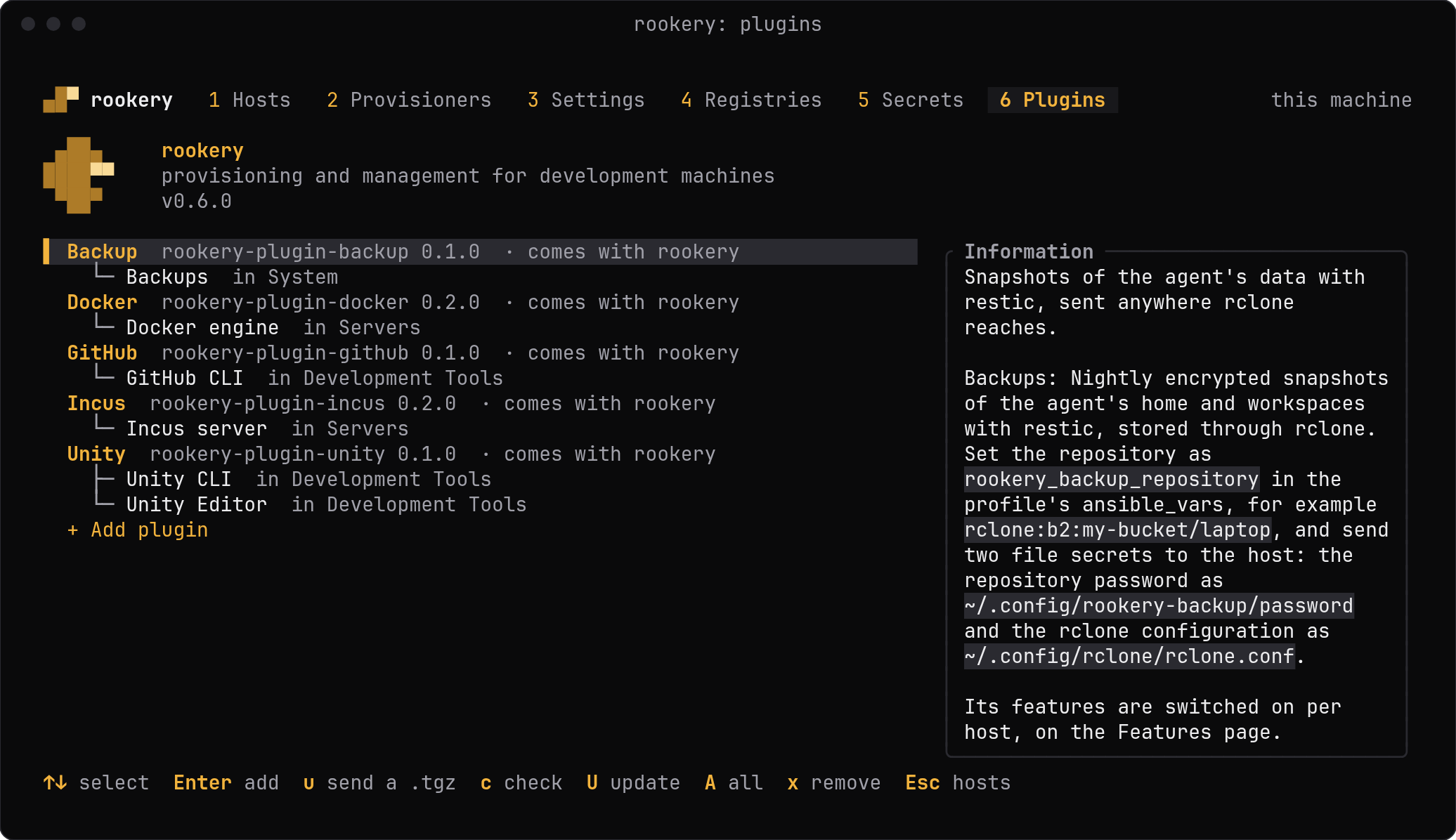
From the command line:
rookery plugin add @acme/rookery-plugin-foo     # from a registry
rookery plugin add ./foo-1.0.0.tgz            # a tarball from npm pack
rookery plugin add ~/src/rookery-plugin-foo     # a folder
rookery plugin list                                # what is found, and from where
rookery plugin remove @acme/rookery-plugin-foo
add runs npm install --ignore-scripts --prefix ~/.config/rookery/plugins, so registries and credentials come from your npm configuration. You can also copy a folder to ~/.config/rookery/plugins/NAME/ by hand. Npm is not needed for that.
After each change Rookery makes there, it writes the folder's package.json, npm's lock file, uploaded .tgz files and the folders you copied in to its store. A machine restored from the store gets them back, and npm installs the rest. A folder you copy in by hand is in the store after Rookery's next change of the plugins. Remove a plugin with rookery plugin remove, as one deleted by hand comes back from the store.
Updating a plugin
rookery plugin update --check                 # which have a newer version
rookery plugin update foo                     # one, by its id or npm name
rookery plugin update                         # all of them
--check runs npm outdated with your npm configuration, so it asks the registry each plugin came from. update installs the registry's latest version and then lists the hosts that are behind. On the Plugins tab, c checks, U updates the selected plugin and A all of them. A plugin with a newer version says update available: 1.0.0 → 1.1.0.
| Came from | Updated by |
|---|---|
| A registry | rookery plugin update |
A .tgz, an https:// address or a folder | Adding the new one again, which replaces it |
| A folder copied by hand | Copying the new one over it |
| Rookery itself | rookery update, or a newer server image |
A host keeps what it was applied with until it is applied again. After an update, rookery rollout or r on the Plugins tab applies the hosts that are behind (Updates).
On a Rookery server
With a Rookery server set, the Plugins tab and rookery plugin list show the server's plugins and change those, which needs the role admin there. The server installs a package name or an https:// address with its own npm and npm configuration. rookery plugin add packs a .tgz or a folder on your machine and sends it to the server, and u on the tab sends a .tgz chosen in the file dialog.
The server's hosts can have a new plugin's features as soon as it is installed. Its Ansible tasks run on the server when a host is applied, so installing is part of set-up. A server with serve_setup off takes it only on its own socket (Closing set-up).
A plugin of yours with the same id as a built-in one replaces it. Rookery reads a plugin's package.json and hands its tasks to Ansible. It never runs the package's npm scripts.
Other install methods
| Method | Plugins |
|---|---|
| USB installer, cloud seed | The release archive contains the built-in plugins, and yours when built through Rookery |
| Container | Set PLUGIN_FEATURES='["unity/cli"]' for the build. Only plugins in the source's plugins/ directory are in the build context |
| Plain Ansible | Pass rookery_plugin_features, and rookery_plugin_dirs ({"ID": "/path"}) for plugins outside the source's plugins/ |
To write your own, see Writing a plugin.
Last updated on