

The command line
Rookery's commands by what they do. Each one is a call of the server's API, so a script does what the screens do.
A command is written rookery THING ACTION [NAME] [FLAGS], such as rookery host show studio or rookery secret set github. A few that you type often have a short form. rookery --help lists the things, and rookery THING --help lists what each can do. The command reference has every command with its flags.
| Short form | Means |
|---|---|
rookery ls | rookery host list |
rookery apply HOST | rookery host apply HOST |
rookery exec HOST -- COMMAND… | Run a command on the host |
rookery ssh HOST | A shell over plain SSH |
rookery run HOST ACTION | Run one of the host's actions |
rookery ui [HOST] | Open the screens |
rookery serve | rookery server run |
rookery alone prints a short help. A word Rookery doesn't know stops with status 2 and the command it was likely meant to be.
Which server
Each command calls the API of a Rookery server. Rookery picks the first of these:
--server URLon the command line.ROOKERY_SERVERin the environment.- The server that
rookery loginkept. - The
rookery serveof this machine, on its socket. - A server inside Rookery itself, with this machine's installation. This one is on Linux alone.
rookery login https://rookery.example.ts.net   # asks for a setup key, then keeps the server and its token
rookery logout                               # forgets them again
The token comes from a setup key, from --token-file FILE or from --token-stdin. It never goes on the command line, where other users of the machine could read it. A command can also use a server once: rookery --server URL --token-file FILE ls.
Hosts
| What | Command |
|---|---|
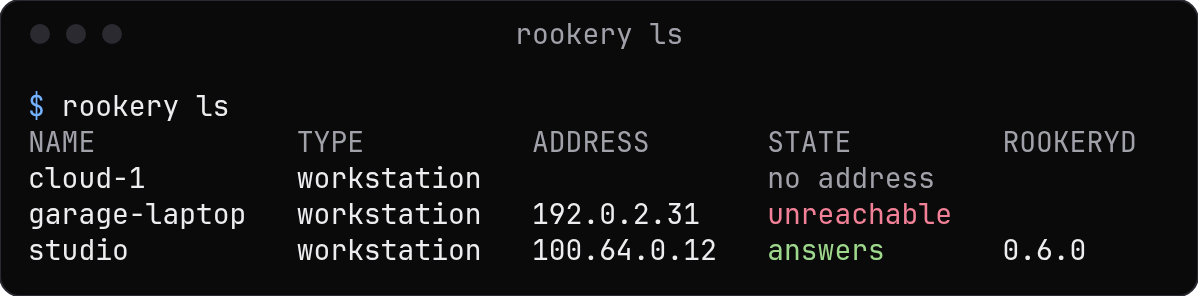
| See the hosts | rookery ls |
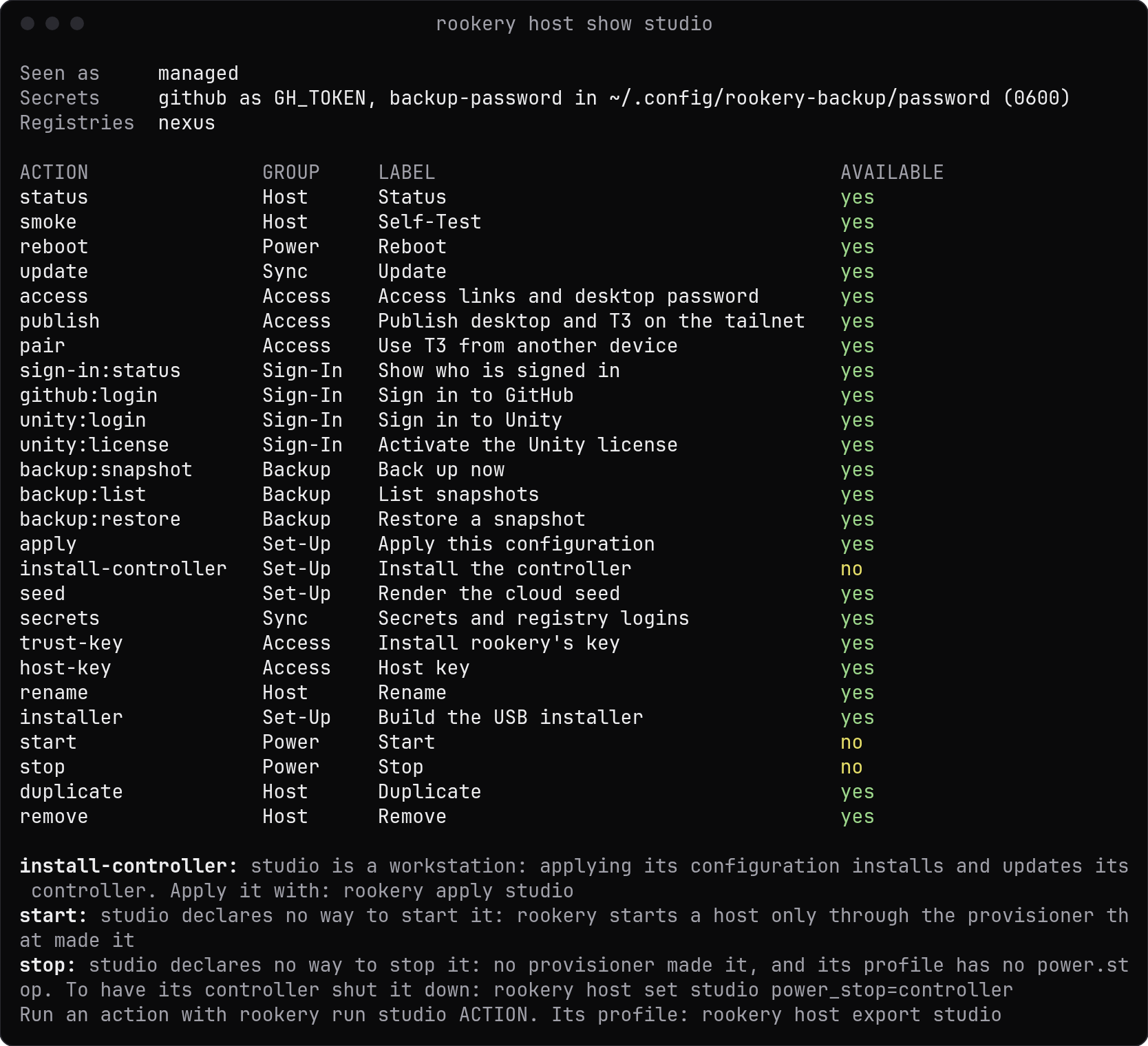
| See the type, address, state and actions of one host | rookery host show studio |
| Describe a new host and install it | rookery host create studio |
| Make the host with a provisioner | rookery host create studio --provisioner ovh-incus |
| Take in a machine that exists | rookery host add build-vm 192.0.2.40 --user ops |
| Change a setting | rookery host set studio hostname=studio-2 |
Edit the profile in $EDITOR | rookery host edit studio |
| Save and load the profile as JSON | rookery host export studio > studio.json, rookery host import studio studio.json |
| Apply the profile | rookery apply studio |
| Bring every host that is behind up to date | rookery rollout (Updates) |
| Rename a host | rookery host rename studio attic (Renaming a host) |
| Take over a host from the profile it keeps | rookery host adopt studio 192.0.2.40 (Moving a host) |
| Start or stop a host | rookery host start studio, rookery host stop studio (Starting and stopping) |
| Save a copy of a host under another name | rookery host duplicate studio attic (Duplicating a host) |
| Forget a host | rookery host remove studio |
| Forget it and destroy the machine its provisioner made | rookery host remove studio --destroy |
rookery host create asks what it needs to know when you're at a terminal. These are the questions of the set-up tabs of the screens, and the same rules check the answers. Each question has a flag. A script gives the answers with them:
rookery host create studio --method cloud-seed --set operator_username=ops \
  --set hostname=studio --feature github/cli --generate-passwords
rookery host create --help lists every key of --set. With --no-input, or without a terminal, a missing answer stops with status 2 and names its flag.
Installing
| What | Command |
|---|---|
| Write the cloud seed | rookery host seed studio > user-data, or --file user-data |
| Build the USB installer | rookery host iso studio, with --write /dev/sdX to write it to a drive |
| Install Rookery's controller alone | rookery run build-vm install-controller (Host types) |
| Change the type a profile says | rookery host set build-vm type=managed |
| Make a server a node, for Incus and Docker machines | rookery host add big 192.0.2.20 --user root --type node (Nodes) |
| Install Rookery's key on a host | rookery key trust build-vm (First contact) |
| Check the host's SSH host key, or accept a changed one | rookery host verify studio, rookery host verify studio --accept |
| The passwords Rookery made for the accounts | rookery host credentials studio |
For a host whose sudo takes a password, Rookery asks for it at the terminal, once in a command, and keeps it only while the command runs. A script gives it with --sudo-password-stdin, which every command takes, or keeps it as the secret sudo/HOST. A rookery serve asks for it on its own terminal when it starts, or takes the kept secret.
Jobs
What changes a host runs as a job of the server, such as an apply or a roll-out. Rookery follows the job with a line that shows the step it is at and the last lines of its log, and ends with one line that says how it went. Ctrl+C stops following. The job goes on in a rookery serve.
| What | Command |
|---|---|
| Start a job and leave it running | rookery apply studio --detach, which needs a rookery serve |
| See the jobs | rookery job list |
| See some of them | rookery job list --host studio, --subject provisioner:NAME or --running |
| See the page after | rookery job list --before ID, with the last job of the page before |
| See one job | rookery job show ID |
| Read its log, and go on as it writes | rookery job logs ID -f |
| Wait for it, and take its status | rookery job wait ID |
Actions
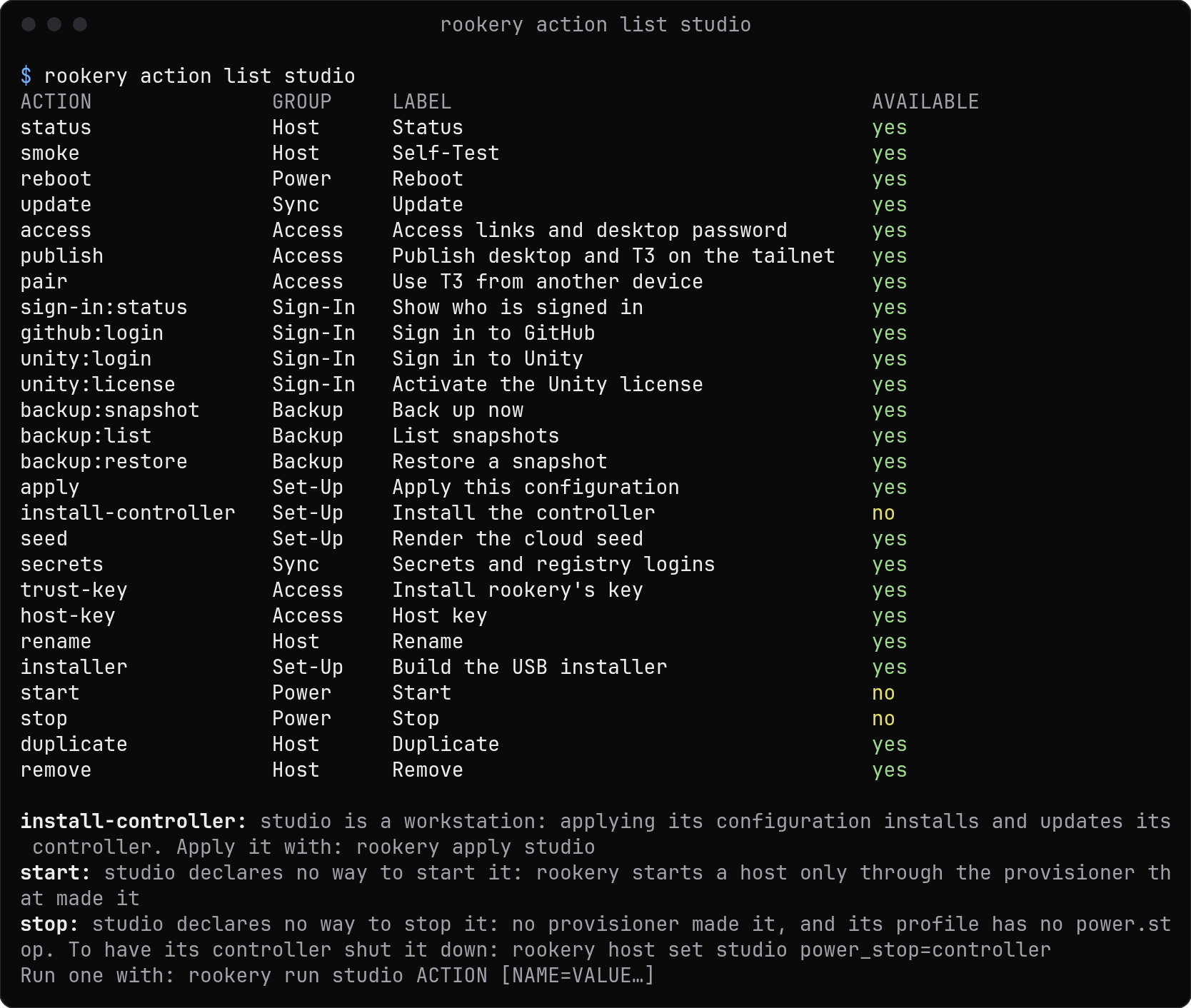
rookery action list studio                     # what the host can do
rookery run studio status                      # run an action; its exit status is rookery's
rookery run studio backup:restore snapshot=latest -y
rookery run studio github:login                # a sign-in runs in your terminal
An action's arguments are NAME=VALUE words, and -y answers its question. A required argument you leave out is asked for at a terminal. rookery action list lists Rookery's own actions beside the controller's, such as install-controller, and says why one can't run now. A host whose type is ssh has none of its controller's yet.
Sessions and commands
rookery exec studio -- id                      # as the agent
rookery exec studio --user root -- journalctl -u rookeryd -n 20
rookery session attach studio                  # a new shell as the agent
rookery session list studio
rookery session logs studio ID --tail 50 -f
rookery ssh studio                             # plain SSH as the SSH user
rookery exec ends with the command's own exit status. Its session is removed afterwards, unless --keep is given. Ctrl+Q leaves an attached terminal running.

Secrets, registries and keys
| What | Command |
|---|---|
| Keep a secret | rookery secret set github, which reads the value at a prompt or on standard input |
| Give it to a host as a variable | rookery host set studio secret.github=GH_TOKEN |
| Give it to a host as a file | rookery host set studio secret.backup=~/.config/backup/password:0600 |
| Stop giving it | rookery host set studio secret.github= |
| Add a registry | rookery registry add nexus nexus https://nexus.example.com --user ci-user |
| Give its login to a host | rookery host set studio registry.nexus=on |
| See the keys of the key ring | rookery key list (Keys) |
| Replace a key on the hosts that take it | rookery key rotate rookery (Rekeying) |
See Secrets and Registries.
Provisioners and resources
| What | Command |
|---|---|
| See the provisioners | rookery provisioner list |
| See the types the plugins bring | rookery provisioner types |
| Register one | rookery provisioner add ovh-incus incus/vm server=https://192.0.2.10:8443 (Provisioners) |
| See how it is and what it made | rookery provisioner show ovh-incus |
| Change its settings | rookery provisioner set ovh-incus project=agents |
| See what provisioners made | rookery resource list (Resources) |
| Make a deployment from a Compose file | rookery resource create wiki --provisioner docker --spec compose.yaml (Deployments) |
| Give it a new Compose file | rookery resource set wiki --spec compose.yaml |
| Read its log | rookery resource logs wiki -f |
| Remove it | rookery resource remove wiki |
Plugins
| What | Command |
|---|---|
| See the plugins | rookery plugin list |
| See what one brings | rookery plugin show github |
| Install one | rookery plugin add @acme/rookery-plugin-tools, or a .tgz or folder of this machine, which is sent to the server |
| Check for newer versions | rookery plugin update --check |
| Update them | rookery plugin update, then rookery rollout |
Ports, services and messages
| What | Command |
|---|---|
| Reach a port of a host from this machine | rookery port forward studio 8080, or 8080:3000 for another local port |
| Call a service a plugin runs | rookery service call studio notes/store list |
| Read a host's channel as it comes | rookery channel listen studio |
| The messages the server took in | rookery inbox list |
| Mark one done, or open again | rookery inbox done studio ID, rookery inbox reopen studio ID |
| The server's key-value store | rookery kv list NAMESPACE, rookery kv set NAMESPACE KEY JSON |
The server of this machine
| What | Command |
|---|---|
| Run it | rookery serve, with --listen ADDRESS:PORT [--expose] for the network (rookery serve) |
| Make a setup key for the first user | rookery server setup-key (A Rookery server) |
| The store and its key | rookery server store status, encrypt, rekey, decrypt, copy (The store) |
| The API documents | rookery server api openapi, asyncapi, operations (API) |
| The server's settings | rookery config list, rookery config set KEY VALUE |
| Update Rookery itself | rookery update (Updates) |
In scripts
| Flag | What it does |
|---|---|
-o json | Print the API's own JSON documents instead of tables. Errors go to standard error as JSON as well |
--no-input | Never ask; a missing value stops with status 2 and names its flag |
-y | Answer yes to every question |
-q | Print only the result |
--color never | Print without colours, as NO_COLOR does |
| Status | Means |
|---|---|
| 0 | Done |
| 1 | A job failed, or a host didn't answer |
| 2 | The command line was wrong |
| 3 | Refused. The role is too low, the host or the server can't do it now, or a question had the answer no |
| 4 | The server couldn't be reached |
rookery completion bash prints the completions of a shell. Source them from its start-up file:
echo 'source <(rookery completion bash)' >> ~/.bashrcLast updated on