

A host's overview
The page of a running host, with its actions, the terminal panel and its sessions.
Opening an installed host shows its overview, with the connection at the top and the host's actions in groups below. The host's controller reports its own actions, and the list changes with what is installed there.
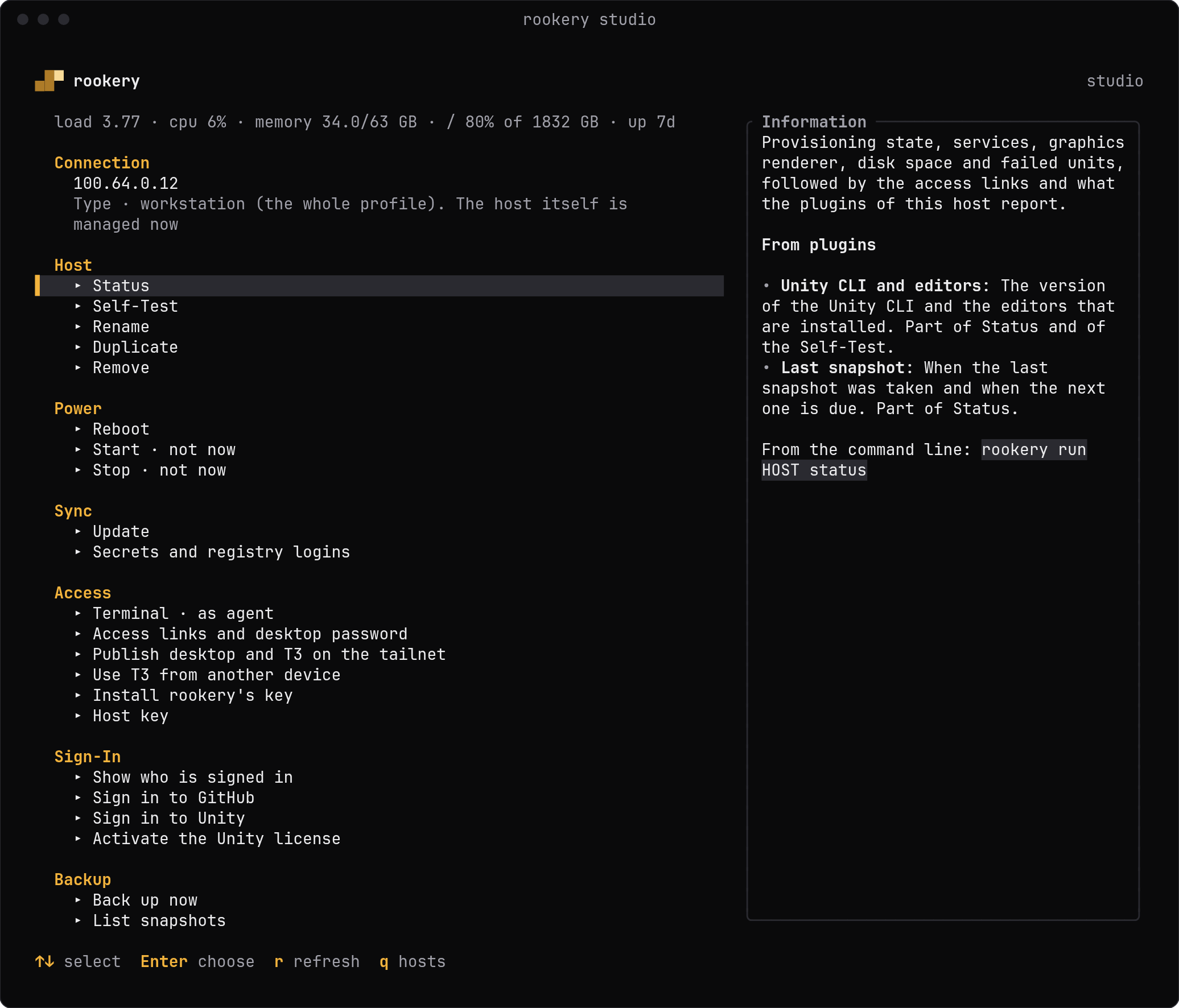
The line under the title is the host's load, CPU, memory, disk and uptime. Under Connection, a line says the host's type, and what the host itself was seen to be when that differs.
Actions
| Group | Action | Does |
|---|---|---|
| Host | Status | Provisioning state and services, graphics and disk space, failed units and the access links, then what plugins report |
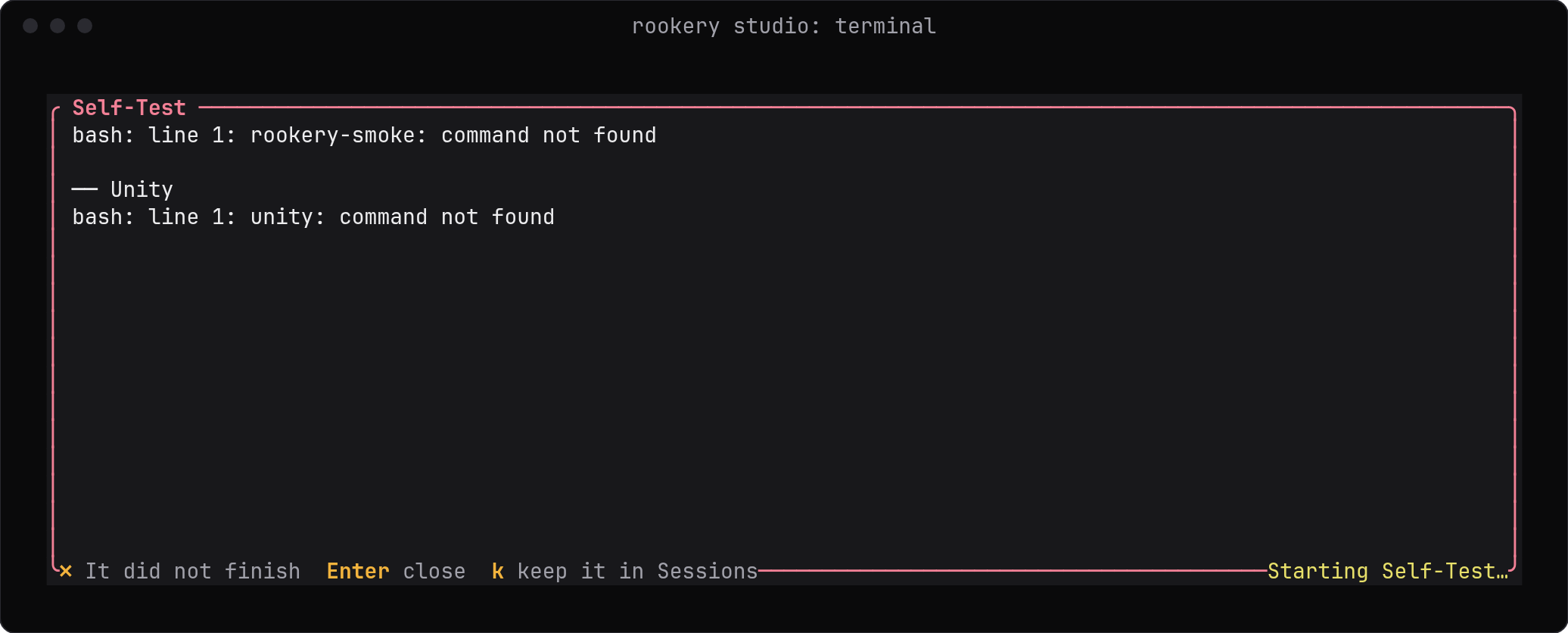
| Self-Test | rookery-smoke as the agent, with the checks plugins add | |
| Rename | Gives the host another name in Rookery, and with hostname its profile's hostname too | |
| Duplicate | Saves a copy of the profile under another name, without what belongs to this machine | |
| Remove | Forgets the host, and with destroy destroys the machine its provisioner made (Removing a host) | |
| Power | Reboot | Restarts the host, after asking |
| Start, Stop | Through the provisioner that made the host, or as its profile declares (Starting and stopping) | |
| Sync | Update | apt update and upgrade, then what plugins keep up to date. It says whether a reboot is needed |
| Secrets and registry logins | Sends this host's secrets and logins to the agent account | |
| Access | Terminal | A shell on the host in a panel. Space switches between the agent and the SSH user |
| Access links and desktop password | Links for the desktop, Cockpit, SSH and T3 Code if installed, and the virtual desktop's password | |
| Publish desktop and T3 on the tailnet | tailscale serve for the desktop and for T3 Code, and the tailnet's trusted certificate for Cockpit | |
| Use T3 from another device | A one-time pairing link for T3 Code, for a phone or another computer | |
| Sign-In | Show who is signed in | The accounts of the agent that the host's plugins know about |
| Sign in to GitHub, Unity or an agent | The tool's sign-in in a panel, added by its plugin | |
| Set-Up | Change what is installed, accounts or install method | Opens the set-up tabs |
| Apply this configuration | Runs the role again with this profile, such as after changing what is installed |
When the host was applied before a plugin or Rookery itself changed, a Configuration group at the top says which, such as unity 1.0.0 → 1.1.0, with Apply this configuration below it (Updates).
Rookery's own actions on the host are listed beside its controller's, such as Install the controller for a host that is not a workstation. One the host's type or state rules out is marked not now, and the Information panel says why and what to do first. A host with the controller alone has only Status, Update, Reboot and the secrets.
Plugins add actions to these groups or bring groups of their own, such as Backup. They also add steps to built-in actions such as Status and Update. An action's output stays on the page.
Some actions take arguments, such as which snapshot to restore. Actions that cannot be undone ask for confirmation first. When the profile says to ask for the SSH user's sudo password, Rookery asks once and keeps it until it closes.
Panels
The terminal and sign-ins run in a panel inside Rookery.
| In a panel | Does |
|---|---|
| Click on a web address | Opens it on your machine |
| Right-click | Copies a web address, or a word such as a one-time code |
| Alt+R | Shows the links as QR codes, to open one on a phone. A click on its hint at the bottom does the same |
| Ctrl+V | Pastes |
| Mouse wheel | Scrolls back |
| Ctrl+Q | Leaves the panel; a terminal keeps running |
exit or Ctrl+D | Ends a terminal |
| Alt+X | Ends a terminal from the panel, after a yes. Whatever runs in it gets a hangup, and is killed if it still runs 5 seconds later |
A long web address that runs over several rows is one link, even when the program in the panel breaks it into lines of its own. Clicking it, copying it and its QR code all take the whole address.
Sessions
A terminal is a session of the host and keeps running when you leave it. Running sessions appear in a Sessions group on the overview, where Enter opens one again. rookery session list HOST lists them, and rookery session attach HOST ID puts your own terminal onto one (Commands).
Unreachable hosts
Instead of the actions, the overview then says why, and offers:
| Row | Does |
|---|---|
| Try again | Asks the host again what it can do, asking for the sudo password again if needed |
| Change the SSH address | Opens the address of the host for editing. Saving it tries again. Not offered for a host that the Rookery server keeps for you |
| Terminal over SSH | A plain SSH shell as the SSH user, for a host whose rookeryd cannot be reached |
| Apply this configuration | Shown when rookeryd is missing or older than Rookery needs; installs or updates it |
A host that refused Rookery's login says so, and Rookery does not try it again by itself for a while, so the host's sshd does not turn Rookery's address away (Refused logins). Try again logs in once. A message that names PerSourcePenalties means sshd is already turning the address away: wait a minute before you try again.
Rookery's own actions stay listed below these, such as Install Rookery's key, Host key and Install the controller, as first contact is what such a host often needs. One that goes through the controller, such as sending secrets, is marked not now, and the Information panel gives the host's answer.
Last updated on