

Secrets
Keep tokens in Rookery's store and send them to a host's agent as environment variables or files.
Rookery keeps secret values in its store and sends them to a host when you say so. The host's profile only records which secrets it gets and how.
| What | Where | Notes |
|---|---|---|
| Secret values and registry passwords | Rookery's store, by default ~/.local/share/rookery/rookery.db | The SQLite file is readable by you only. Values are plain unless the store is encrypted |
| Which secrets and registries a host gets | The host's profile | Names only |
rookery server store status says where the store is and whether it is encrypted. rookery server store encrypt seals the values with a key file. See The store. With a Rookery server, the values are kept there and this machine has only their names.
On the host everything belongs to the agent account, in plain files. The agent can read everything you send it.
Give the agent tokens limited to what it should do, and let them expire.
Send a secret
Store the value
rookery secret set github          # asks for the value without showing it
echo "$TOKEN" | rookery secret set github
Or use the Secrets tab of the home screen (5). Enter on + Add secret asks for a name and the value, Enter on a secret replaces its value, x twice removes it. Values are never shown.
The secret tailnet_api_key is Rookery's own, for making the keys hosts join the tailnet with and for removing and renaming their devices there. It's never given to a host. See joining the tailnet for what it holds and the permissions it needs.
Give it to the host
As an environment variable or as a file, with an optional mode:
rookery host set studio secret.github=GH_TOKEN
rookery host set studio secret.deploy-cert=~/.config/acme/cert.pem:0600
Or under Secrets on the host's Settings tab, where you type a variable name such as GH_TOKEN or a path such as ~/.config/app/token.
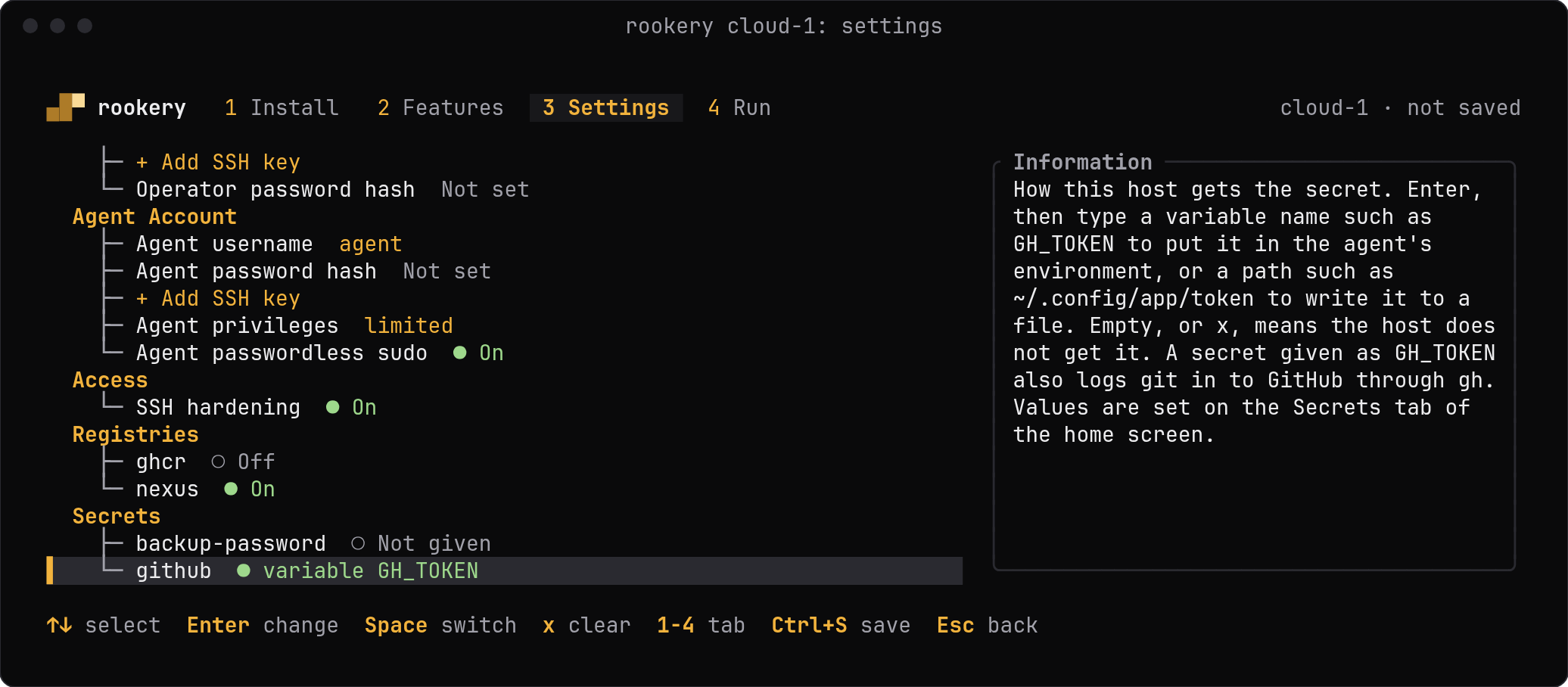
Check what a host is given with rookery host show studio, and stop giving one with rookery host set studio secret.github=. List the stored names with rookery secret list, and delete a value with rookery secret remove github.
On the host
Each send replaces what was installed before, so removing a secret and sending again removes it from the agent's environment. Files that were written stay. Delete them on the host.
Environment variables are written to ~/.config/rookery/secrets.env of the agent, which box exec and the agent's shells read, and in a second file that the T3 Code service reads. Programs that are already running, T3 Code included, see a new value only after a restart. A value of several lines has to be a file.
GitHub
Create a fine-grained token limited to the repositories the agent should work on, with Contents and Pull requests set to read and write. Then:
rookery secret set github
rookery host set studio secret.github=GH_TOKEN
rookery run studio secrets
gh uses that variable, and Rookery sets gh as git's credential helper for github.com, so git clone, git push and gh pr create work for the agent without a sign-in.
The token is the only limit on what the agent can push. Protect branches on GitHub's side.
Last updated on